> ## Documentation Index
> Fetch the complete documentation index at: https://docs.solidyne.ar/llms.txt
> Use this file to discover all available pages before exploring further.
# Speakers and headphones
> Speaker and headphone outputs. CUE monitoring.
## Monitor outputs
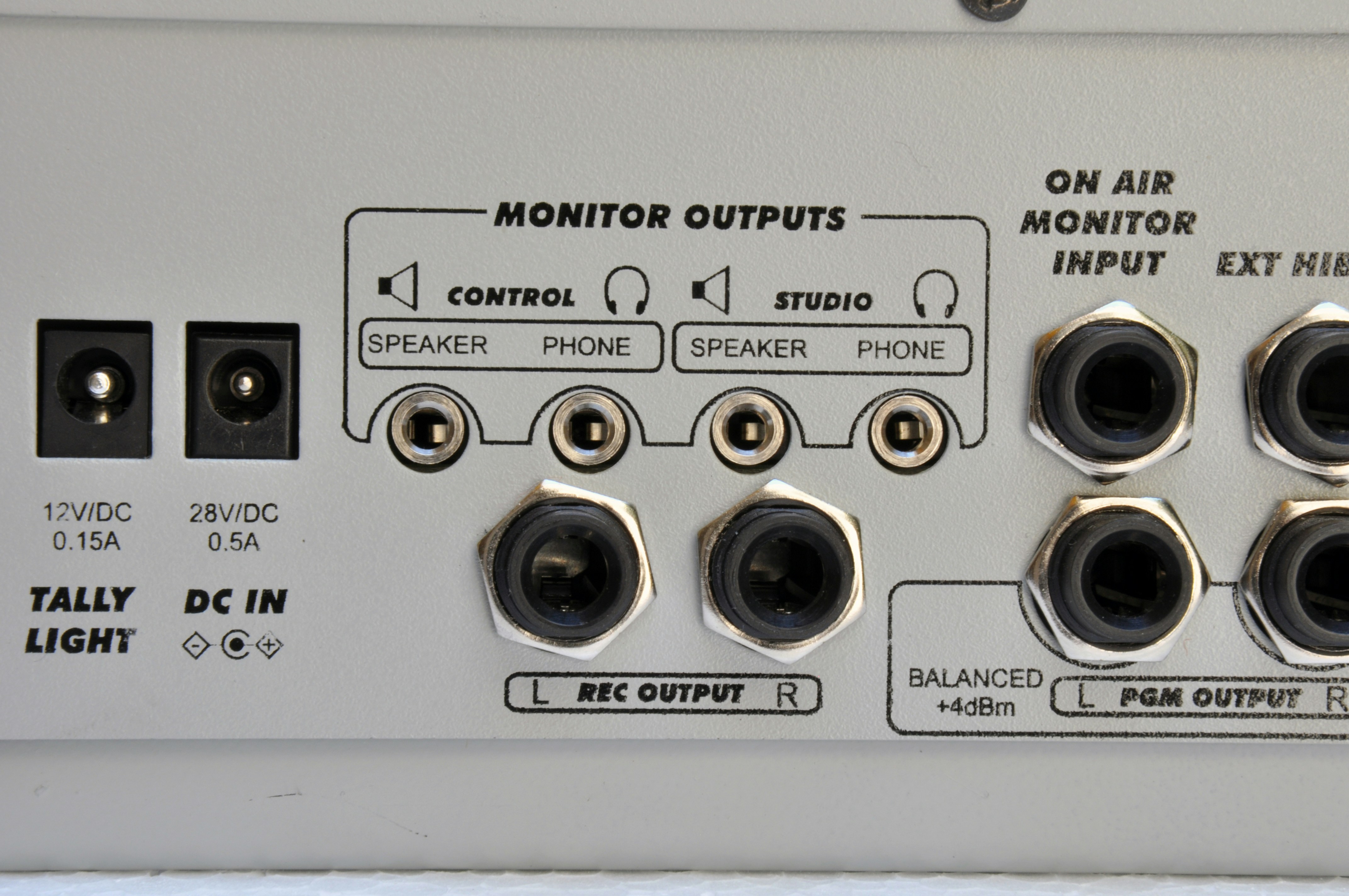 ### Headphones
The D612 features:
* A **studio** headphone output.
* A **control room** headphone output.
The level adjustment knob also modifies the level of the monitor speaker outputs.\
The console is designed to work with active speakers and a headphone distribution amplifier in the Studio (for example Solidyne **StudioBox**).
* An external distribution amplifier is not mandatory: the D612 includes one that supports up to **3 x 32Ω headphones in parallel**.
* If using headphones with volume control, each announcer will have independent adjustment.
* Another solution is to mount a control on the desktop: a **1kΩ** potentiometer will be sufficient to control the level. In this case, the console level control is left high.
### Monitor speakers
The D612 is designed to work with active speakers.
* The **Studio** and **Control** outputs operate at **0 dBu (0.775 Vrms)**.
* They have independent assignment and level controls.
* They use **1/8" female TRS (mini-jack)** connectors.
* They include **muting logic** to prevent feedback between speakers and microphones.
The **studio monitor** output is muted when MIC-1 or MIC-2 channels are opened.
The **Control** output is muted when Talkback is pressed.
## Preview monitoring (CUE)
By default, preview monitoring is sent to the internal speaker.
In integrated studios (microphones and control in the same room) it may be necessary to disable this speaker and send **CUE** to the operator's headphones.
This configuration requires removing the console base and modifying an internal jumper. The procedure is detailed in the [Optional Features and Disassembly Manual](https://solidynepro.com/descargas/productos/Manual_de_opcionales_y_desarme-LineaDX_\(816-822-D612\).pdf).
### Headphones
The D612 features:
* A **studio** headphone output.
* A **control room** headphone output.
The level adjustment knob also modifies the level of the monitor speaker outputs.\
The console is designed to work with active speakers and a headphone distribution amplifier in the Studio (for example Solidyne **StudioBox**).
* An external distribution amplifier is not mandatory: the D612 includes one that supports up to **3 x 32Ω headphones in parallel**.
* If using headphones with volume control, each announcer will have independent adjustment.
* Another solution is to mount a control on the desktop: a **1kΩ** potentiometer will be sufficient to control the level. In this case, the console level control is left high.
### Monitor speakers
The D612 is designed to work with active speakers.
* The **Studio** and **Control** outputs operate at **0 dBu (0.775 Vrms)**.
* They have independent assignment and level controls.
* They use **1/8" female TRS (mini-jack)** connectors.
* They include **muting logic** to prevent feedback between speakers and microphones.
The **studio monitor** output is muted when MIC-1 or MIC-2 channels are opened.
The **Control** output is muted when Talkback is pressed.
## Preview monitoring (CUE)
By default, preview monitoring is sent to the internal speaker.
In integrated studios (microphones and control in the same room) it may be necessary to disable this speaker and send **CUE** to the operator's headphones.
This configuration requires removing the console base and modifying an internal jumper. The procedure is detailed in the [Optional Features and Disassembly Manual](https://solidynepro.com/descargas/productos/Manual_de_opcionales_y_desarme-LineaDX_\(816-822-D612\).pdf).