> ## Documentation Index
> Fetch the complete documentation index at: https://docs.solidyne.ar/llms.txt
> Use this file to discover all available pages before exploring further.
# StudioBox Connection
> Studio monitoring connections
Solidyne StudioBox HD5 and HD3 monitoring hubs handle the routing of monitoring signals to the studio for headphones and speakers.
Features:
* HD5: 5 headphone outputs with independent volume controls
* HD3: 3 headphone outputs
* Dual listening channel
* Monitor Output for powered speakers, with a comfortable level knob at the panel.
* ON AIR tally light
* Reverse talk-back from Studio to Control Room
* Timer/Clock (HD5 only)
## StudioBox Connection
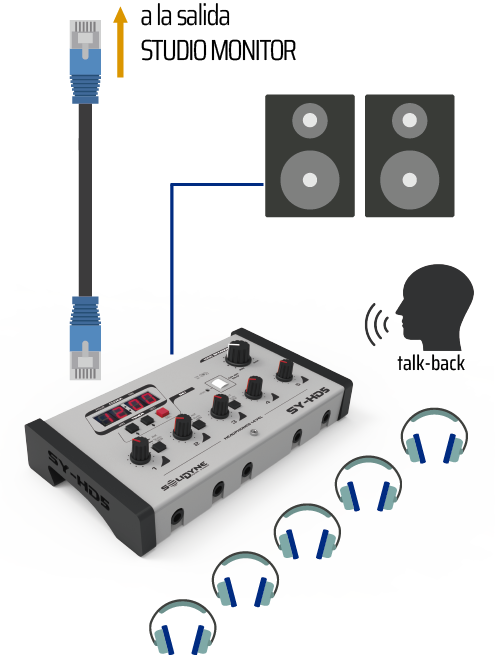
**HD3** and **HD5** connect to the **Studio Monitor** connector located on the console's rear panel, using a single **shielded CAT-5 RJ45-RJ45 multicore cable** (5 meters cable included with StudioBox).
The STUDIO MONITOR output on UNIDEX is **not StudioHub compatible**. Do not connect using RJ45 cables designed for other audio outputs. If you don't have a Solidyne StudioBox device, use the **factory supplied** studio patch cord to connect headphones and speakers to the STUDIO MONITOR output.
Through this cable, the console:
* Sends **headphones** and **monitor speakers** signals.
* Receives **reverse talkback** signal from the studio.
 ### StudioBox Outputs
* **Monitor speakers**\
TRS 1/8" stereo connector (**minijack**).\
This is a **line level** output, requiring **powered speakers** in the studio.
* **Headphones**\
TRS 1/4" stereo connectors (**jack**) located on the front panel.\
Compatible with **16, 32 and 64 Ω** headphones.
On **HD3** models, headphone outputs **2 and 3 are twins**: they share level control and source assignment.
### Auxiliary Input
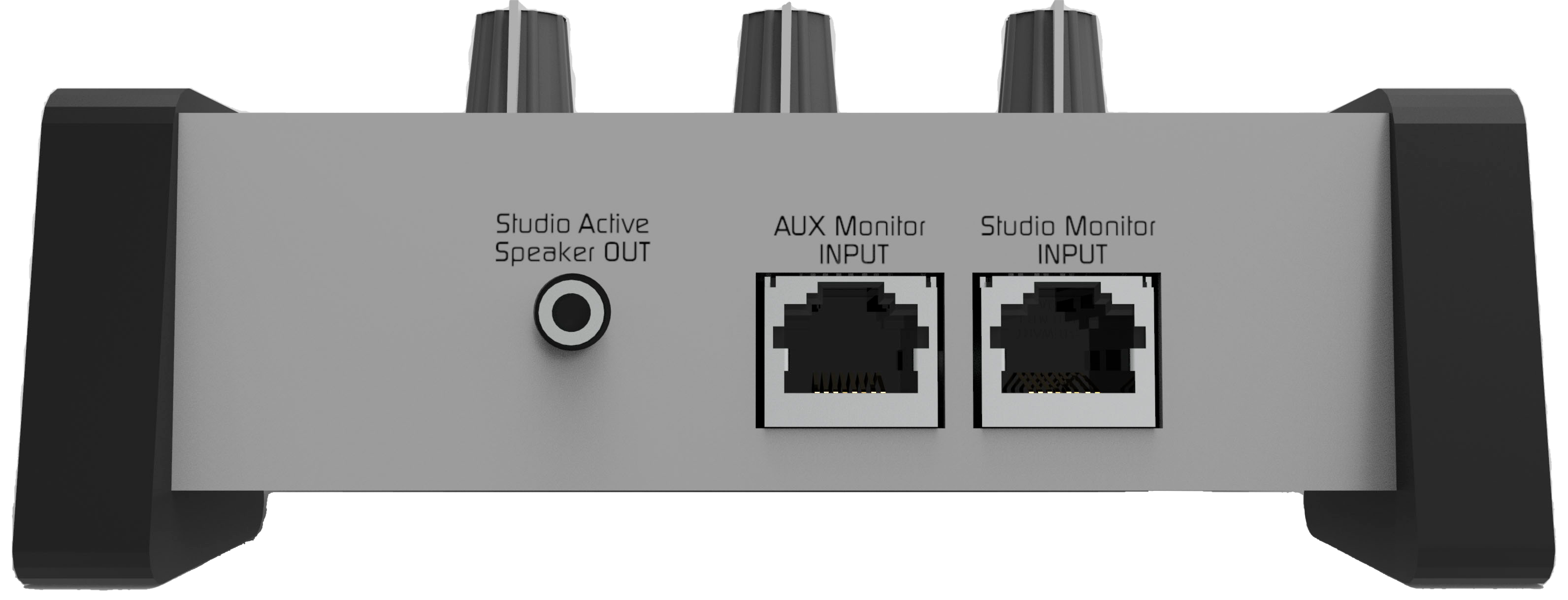
Allows an **alternative monitoring source**, different from the signal assigned in the console's STUDIO MONITOR section (**ON-AIR, PGM, AUD, SEND or CUE**).
* Input switching:
* **Input A**: console signal
* **Input B**: auxiliary signal
* **HD5 Model**: A/B switching is independent for headphones 1, 2 and 3. Headphones 4 and 5 always receive the **Studio Monitor** signal assigned at the console.
* **HD3 Model**: headphones 2 and 3 share the assignment.
The auxiliary input is **unbalanced** with RJ45 connector.\
It can connect to any RJ45 audio output (balanced or unbalanced) using a standard **STP RJ45-RJ45 pin-to-pin** cable.
***
## Multiple StudioBox Connection
Multiple StudioBox units can be connected in parallel. The UNIDEX console supports up to:
* **3 HD3 units**, or
* **2 HD5 units**
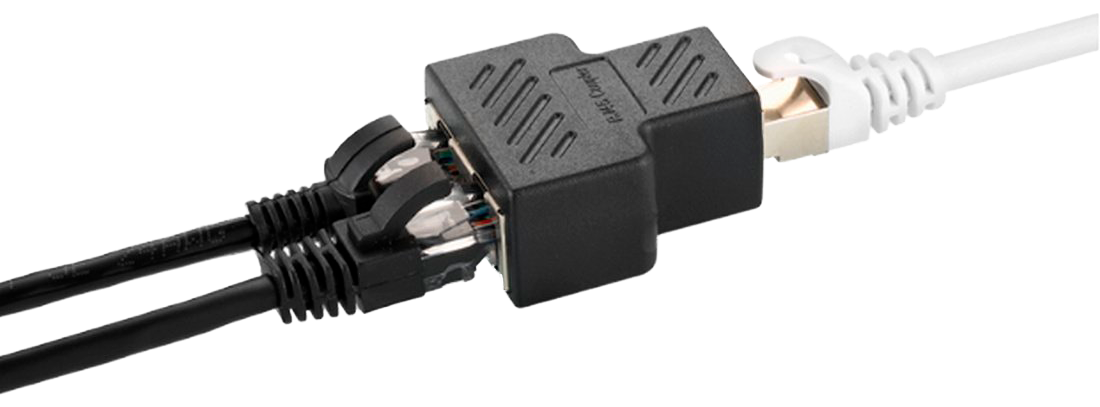
Connection is made in **parallel** by splitting the console's **STUDIO MONITOR** output. Standard RJ45 **Y-splitters** with **pin-to-pin** connection can be used.
### StudioBox Outputs
* **Monitor speakers**\
TRS 1/8" stereo connector (**minijack**).\
This is a **line level** output, requiring **powered speakers** in the studio.
* **Headphones**\
TRS 1/4" stereo connectors (**jack**) located on the front panel.\
Compatible with **16, 32 and 64 Ω** headphones.
On **HD3** models, headphone outputs **2 and 3 are twins**: they share level control and source assignment.
### Auxiliary Input
Allows an **alternative monitoring source**, different from the signal assigned in the console's STUDIO MONITOR section (**ON-AIR, PGM, AUD, SEND or CUE**).
* Input switching:
* **Input A**: console signal
* **Input B**: auxiliary signal
* **HD5 Model**: A/B switching is independent for headphones 1, 2 and 3. Headphones 4 and 5 always receive the **Studio Monitor** signal assigned at the console.
* **HD3 Model**: headphones 2 and 3 share the assignment.
The auxiliary input is **unbalanced** with RJ45 connector.\
It can connect to any RJ45 audio output (balanced or unbalanced) using a standard **STP RJ45-RJ45 pin-to-pin** cable.
***
## Multiple StudioBox Connection
Multiple StudioBox units can be connected in parallel. The UNIDEX console supports up to:
* **3 HD3 units**, or
* **2 HD5 units**
Connection is made in **parallel** by splitting the console's **STUDIO MONITOR** output. Standard RJ45 **Y-splitters** with **pin-to-pin** connection can be used.