

This allows connecting a backup transmitter or dedicating it to a nighttime transmitter.
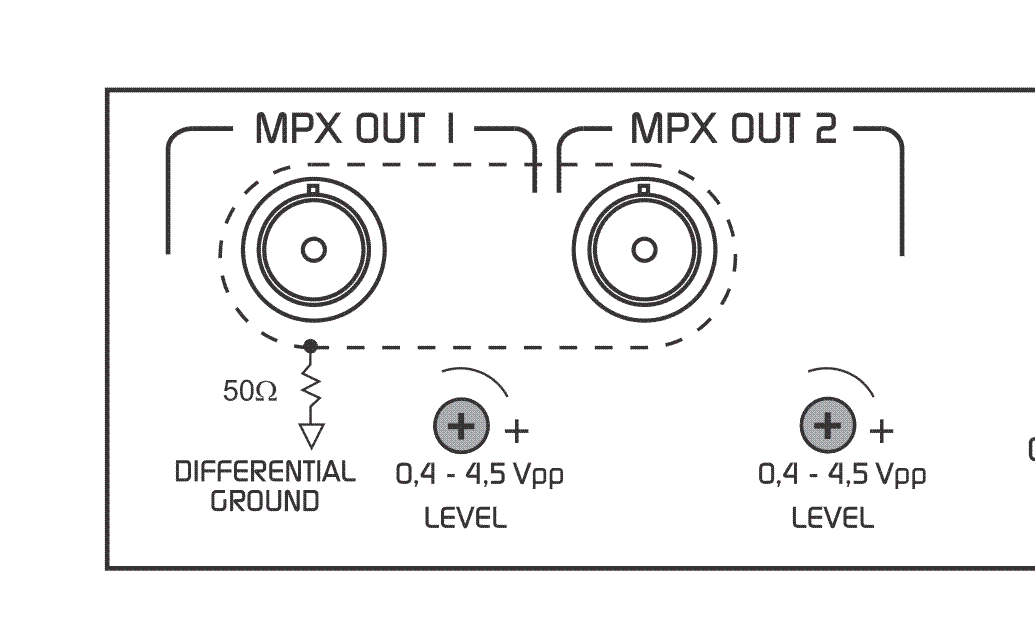
- Output connectors are BNC type.
- For MPX connection, use 75 Ohm coaxial cable (CCTV standard).
- Cable length should not exceed 25 meters.
When connecting to the transmitter’s MPX input, ensure the transmitter’s internal pre-emphasis network is disabled (flat response 20 - 100 kHz).
Pre-emphasis in the Audimax 362HD is factory-set, available in either 50 µs or 75 µs.
Adjusting to 100% Modulation
Modulation is adjusted by varying the equipment’s MPX output level.It is recommended to use program material with voice and strong music (e.g., contemporary pop).
1
Prepare the input signal
- Ensure you are using the appropriate inputs (BAL/UNBAL) according to your console.
- Adjust the console’s audio level to reach 0 VU on peaks.
- This way, the AGC stage works at its equilibrium point.
2
Configure processor and transmitter
- Set all processor controls to their center position.
- If the transmitter has modulation level control, set it to maximum.
3
Adjust MPX output
- Adjust the 362HD’s MPX output level until reaching 75 kHz deviation (100%), measured with an FM modulation monitor or the transmitter’s indicator instrument.
Some countries allow infrequent peaks up to 110% modulation (e.g., FCC regulations in USA).
Needle-type modulation indicators may show peaks above 100% due to ballistic overshoots or average readings of sinusoidal signals. This does not indicate actual over-modulation in the system.
Needle-type modulation indicators may show peaks above 100% due to ballistic overshoots or average readings of sinusoidal signals. This does not indicate actual over-modulation in the system.
This process does not affect the modulation level, as the processor delivers constant peak level.