

Installing Multi-Discovery
Download the setup file from the Download Center. To install, run the the file and follow the instructions.Using Multi-Discovery
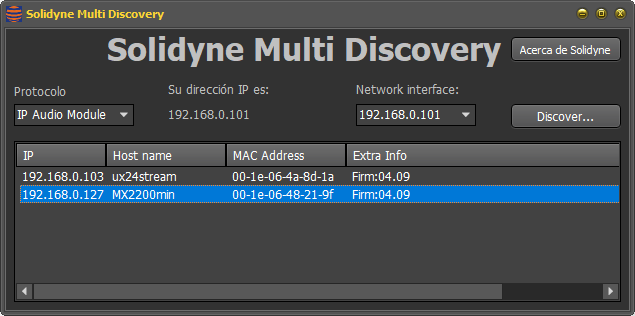
- The “Protocol” menu displays options to find different types of interfaces:
- IP Audio Module: Streaming services
- Solidyne: Remote control interfaces
- In “Network Interface”, select the network adapter (if more than one is available).
- Click “Discover…” to start the search.
- Double-clicking an item in the list will open the default web browser showing the device’s web interface.