Introduction
Broadcasting to the studio can be established in different ways:- Digital audio via Internet
- SIP call (full-duplex with minimal delay).
- RTP streaming (transmission only).
- Shoutcast/Icecast server.
- Mobile phone call (Bluetooth).
- Landline phone call (POTS).
Internet Connection
The MX2200 CODEC-MIXER can connect to the Internet in three ways. Only one connection can be active at a time, although it’s possible to configure more than one so that if one fails, the console automatically reestablishes the connection through another route.- Wi-Fi Connection
- Ethernet Connection
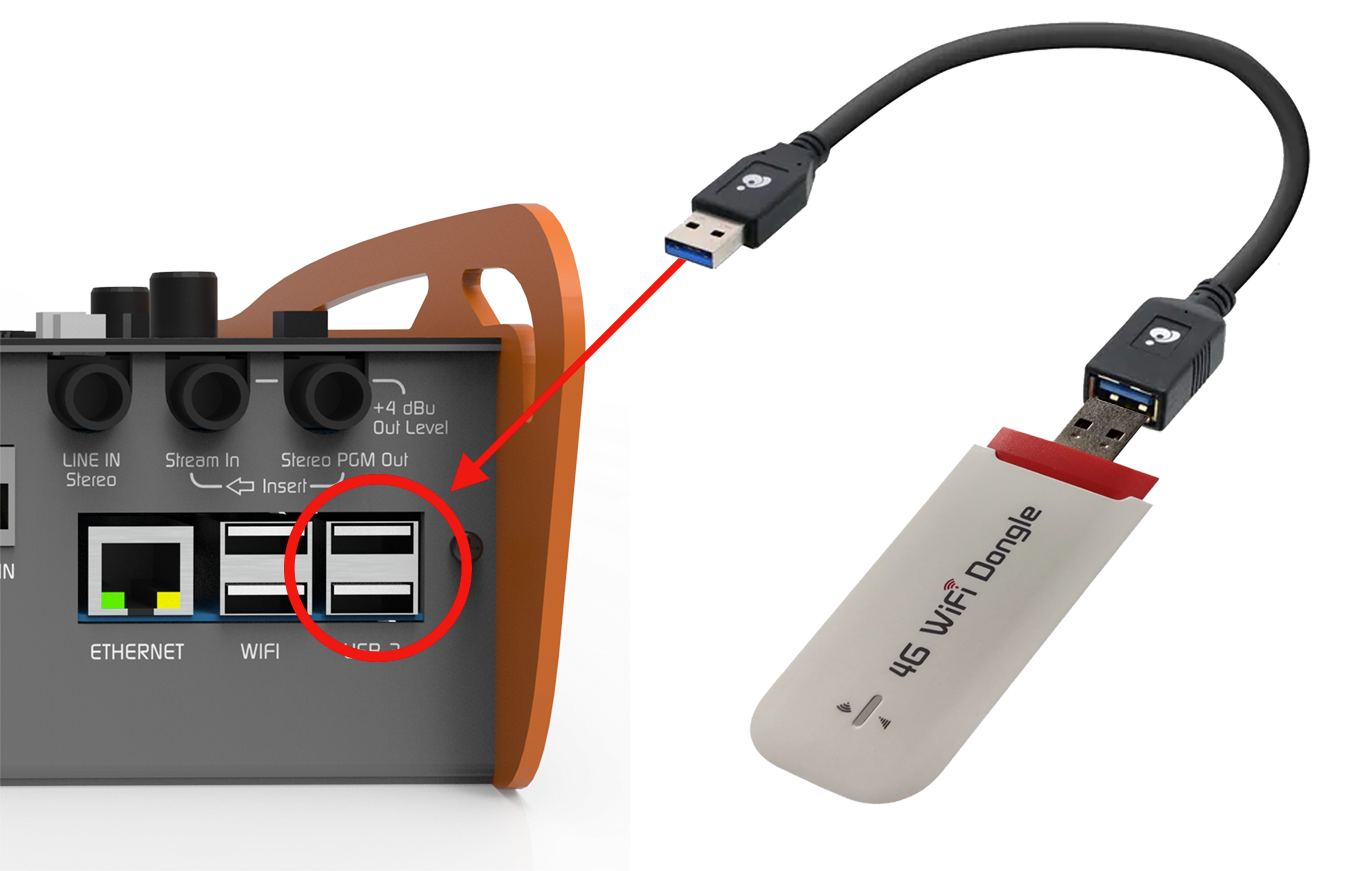
- 4G/5G Connection
1
Connect antenna
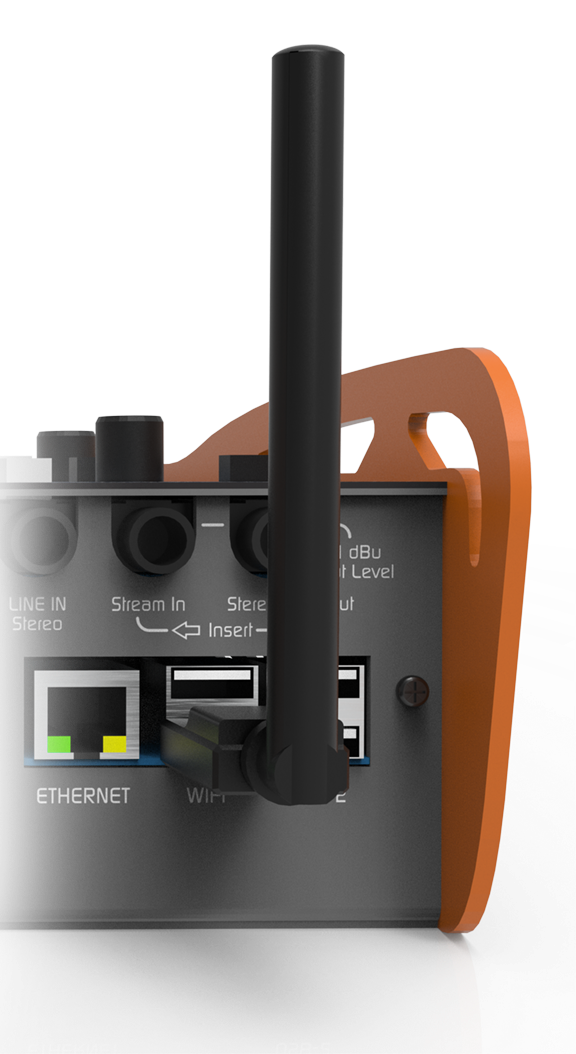
2
Verify connection
The Wi-Fi icon will appear at the top of the HOME screen. Initially, it will be shown in gray (no signal).
3
Access available networks
Turn the encoder to SETUP, press to access, then select Wi-Fi.
A list of available networks will be displayed.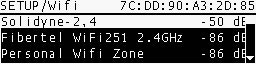
A list of available networks will be displayed.
4
Select and connect
Choose the desired network and enter the password using the DATA ENTRY keypad.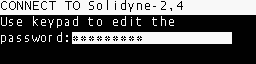
- If the password is valid, the network assigns an IP address (visible in SETUP/Wi-Fi). This may take a few seconds.
- If incorrect, the IP will remain at 0.0.0.0 and you must repeat the procedure.
5
Confirm connection
Once connected, the Wi-Fi icon on the main screen will show the signal strength.
The equipment is ready for SIP calls, RTP streaming, or web server connection.
The equipment is ready for SIP calls, RTP streaming, or web server connection.
You can verify Internet access by connecting a mobile phone or laptop to the same Wi-Fi network and browsing the web.
It’s also possible to use a mobile phone in Hotspot mode, creating a Wi-Fi node to which the MX2200 will connect.
It’s also possible to use a mobile phone in Hotspot mode, creating a Wi-Fi node to which the MX2200 will connect.