

It is equivalent to a conventional VoIP call (similar to Skype or WhatsApp). It is used when:
- Immediate interaction with studios is required.
- Simple connection is needed on networks beyond your control (public Internet, Wi-Fi at various locations).
- When configured at low bitrate, it ensures continuity even with restricted Internet.
- When configured at maximum quality, audio is equivalent to direct studio sound.
SIP Operation Procedure
- Making a SIP call
- Receiving a SIP call
- Studio Return
1
Access Connection Center
Turn the encoder until the CONNECTION CENTER screen appears and press it to enter options.
You can also access it from the main screen by pressing the encoder.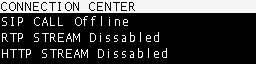
You can also access it from the main screen by pressing the encoder.
2
Select SIP CALL
In the options, select SIP CALL and press. The SIP contacts directory will open.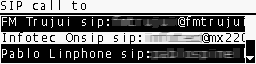
3
Choose contact
Turn the encoder to select the desired contact.
Press to initiate the call.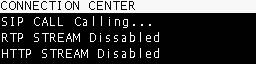
Press to initiate the call.
4
Connection established
When the studio operator answers, the display will show SIP CALL ENABLED.
5
End the call
Return to CONNECTION CENTER and press SIP CALL again.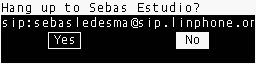
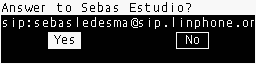
Receiving MX2200 at the Studios
The SIP call can be received with any compatible system:- Hardware DECODERs.
- VoIP Software on PC.
- Paid services are recommended for stability.
- Free options are also available, notably Linphone.