

STUDIO MONITOR Output Connector
The STUDIO MONITOR output connector carries the monitoring signals to the main studio (Studio A). Solidyne StudioBox HD3 and HD5 monitoring bays connect directly to this output using an RJ45–RJ45 STP cable with pin-to-pin connection. When not using a StudioBox, the console includes an RJ45 to audio connectors adapter cable, allowing direct connection of active speakers and headphone distributors in the studio. The signals present in the STUDIO MONITOR connector are: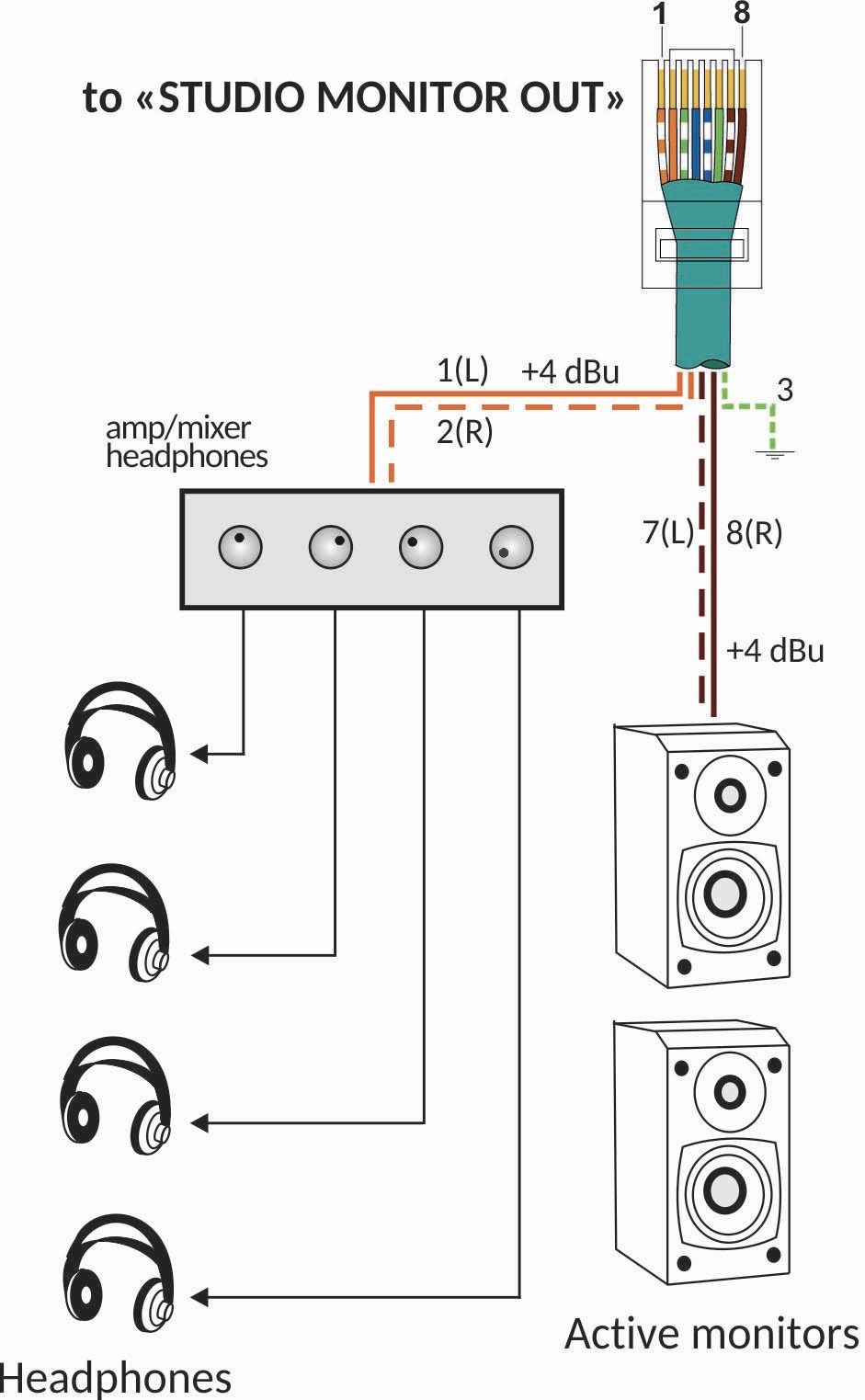
STUDIO B on UX24To configure a monitoring circuit in a second studio, assign one of the general outputs, configured to be muted when Studio B is active.