

GPIO Control
The GPIO connector (General Purpose Input/Output) provides inputs and outputs that allow controlling console functions (GPI) such as mic activation; or controlling external devices (GPO) like tally lights or audio processing.- GPI supports trigger signals of 5-15V/150mA (high active).
- GPO 1 to 7 are “open drain” type. They work as switches, connecting the output to ground. They support signals of 5–24 V / 250 mA.
- PIN 8 provides DC voltage (varies by console model, see below). It can be used to directly trigger GPIs (with a switch). Or to power an external device controlled through a GPO (for example a light or small relay)
Pin-out and configuration
GPIO UX24
GPIO UX24
DB15 PIN-OUT (UX24)
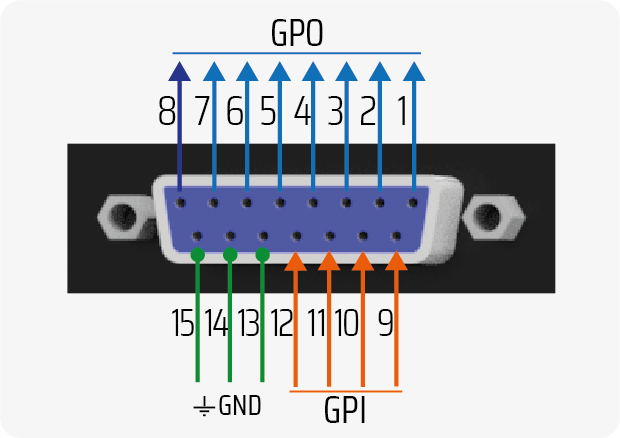
GPO 8 provides +12V / 250 mA when active. 0V when inactive.
ACTION CONFIGURATION
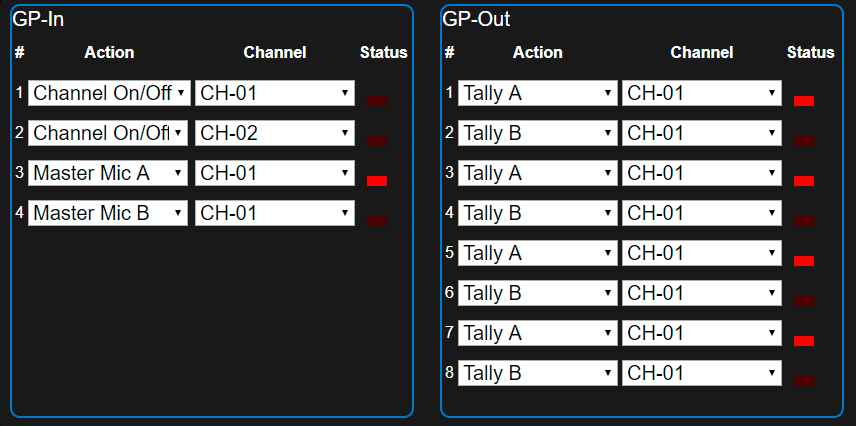
SETTINGS→GPIO screen. Each GP-IN and GP-OUT can be associated with a channel and a specific action.Available actions for GPI are:UNASSIGNED; CHANNEL ON/OFF; CHANNEL MUTE; MASTER MIC A; MASTER MIC BAvailable actions for GPO are:UNASSIGNED; CHANNEL ON/OFF; TALLY A; TALLY B; TELCO RING; OUTPUT +12V (GPO8 only)GPIO UX18
GPIO UX18
DB15 PIN-OUT (UX18)
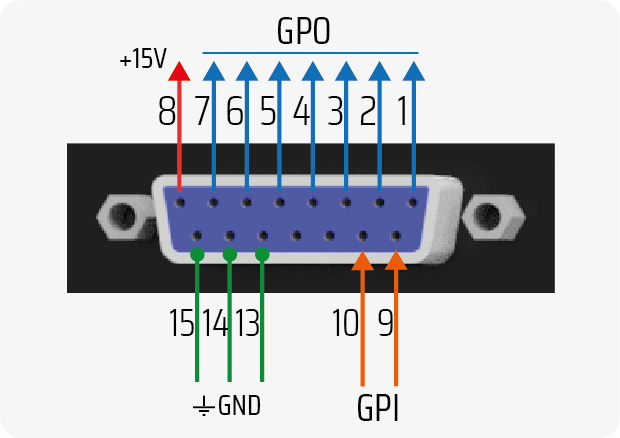
PIN 8 PROVIDES A FIXED VOLTAGE OF +15 VDC / 100 mA (max).
ACTION CONFIGURATION
GPIO-triggered actions are defined in theSETTINGS→GPIO screen. Each GP-IN and GP-OUT can be associated with a channel and a specific action.Available actions for GPI are:UNASSIGNED; CHANNEL ON/OFF; CHANNEL MUTE; MASTER MIC AAvailable actions for GPO are:UNASSIGNED; CHANNEL ON/OFF; TALLY A; TALLY B; TELCO RINGGPIO Application Cases
LED Microphone Arm (GPO)
GPO 1 to 7 outputs can work as electronic switches, switching LEDs connected to an external power supply, as long as current consumption does not exceed 250 mA.If current consumption exceeds 250 mA, an external relay must be used for switching. It is recommended to use GPO 8 to directly control a 12V relay coil with consumption up to 250 mA.
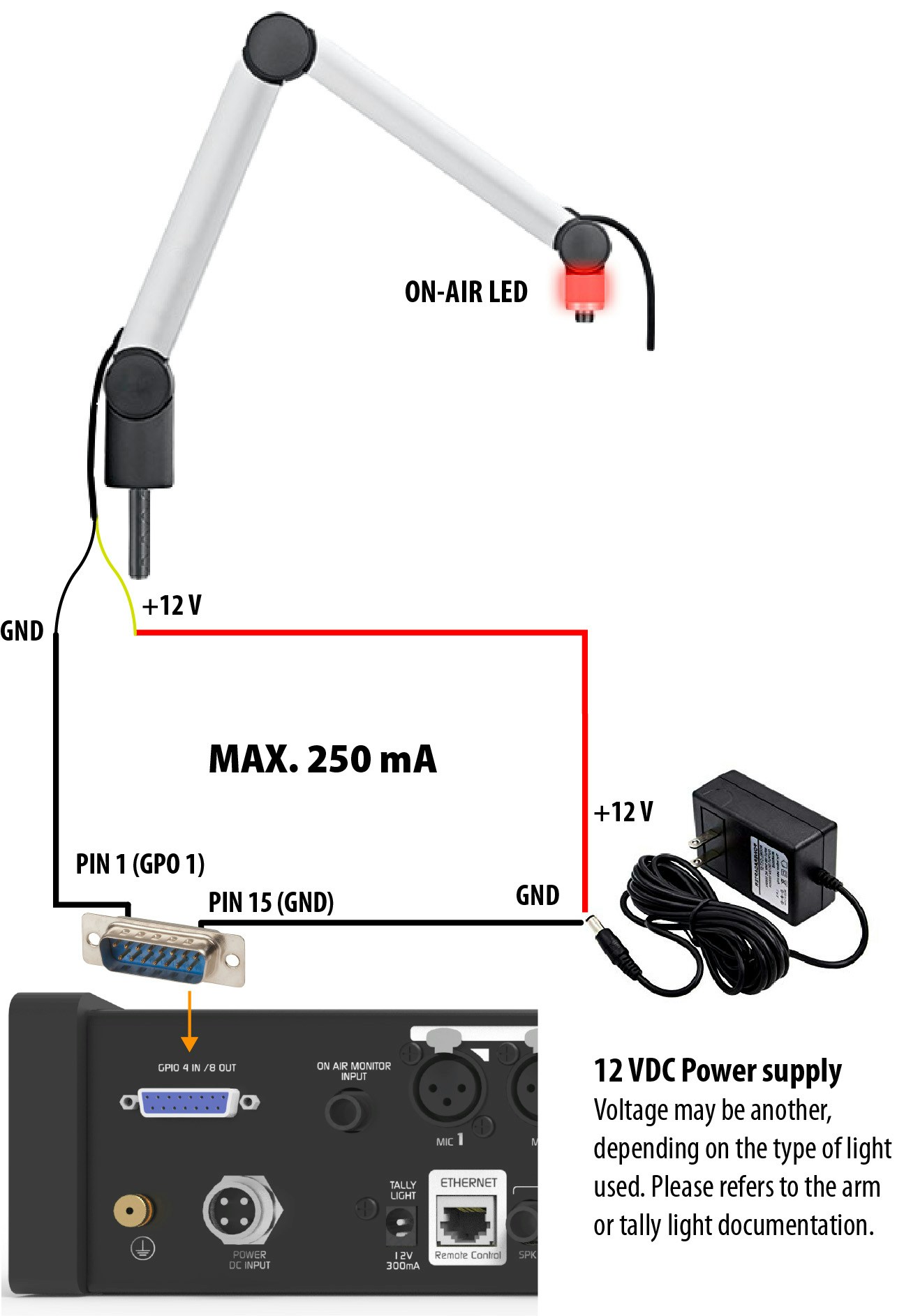
- GPO 1 → ON/OFF MIC Channel 1
- GPO 2 → ON/OFF MIC Channel 2
- etc.
Microphone Muting (using GPI)
GPI inputs allow executing automated actions on the console. One of the most useful is temporary channel muting (MUTE), ideal for implementing a cough button in the studio. This allows the announcer to mute their microphone without operator intervention. The following example shows the connection of a momentary push button to activate GPI 1.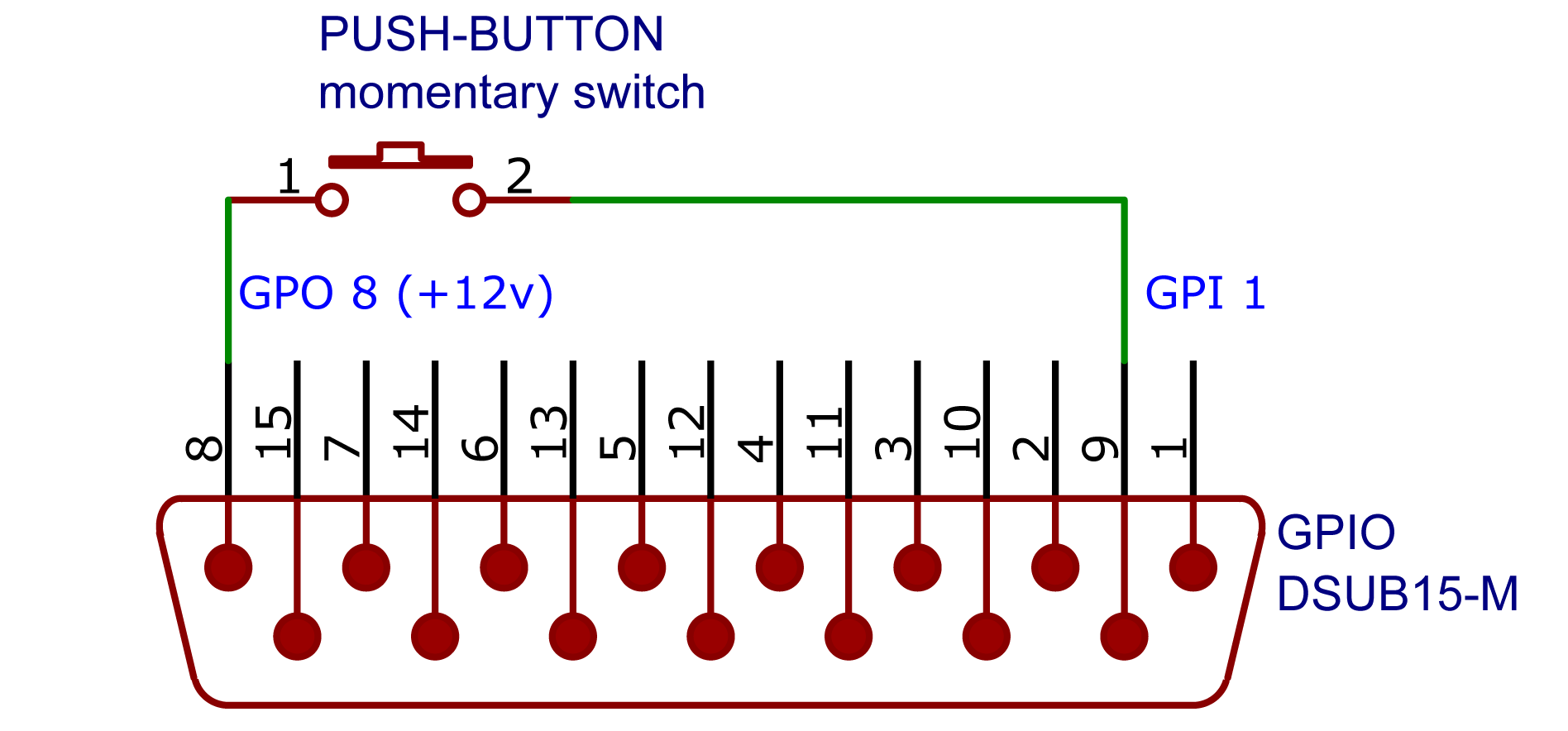
- GPI 1 is configured with the MUTE action and associated with the desired channel.
- GPO 8 provides fixed voltage.
”ON AIR” Warning Lights (Tally Light)
On the console’s rear panel, there is a 12V / 250mA output for connecting “ON AIR” warning lights. The UX24 model has two outputs: Tally Light A and B.- Up to two Solidyne LA100 on-air lights can be connected per output.
- For lights from other manufacturers, ensure total consumption does not exceed 250 mA.