

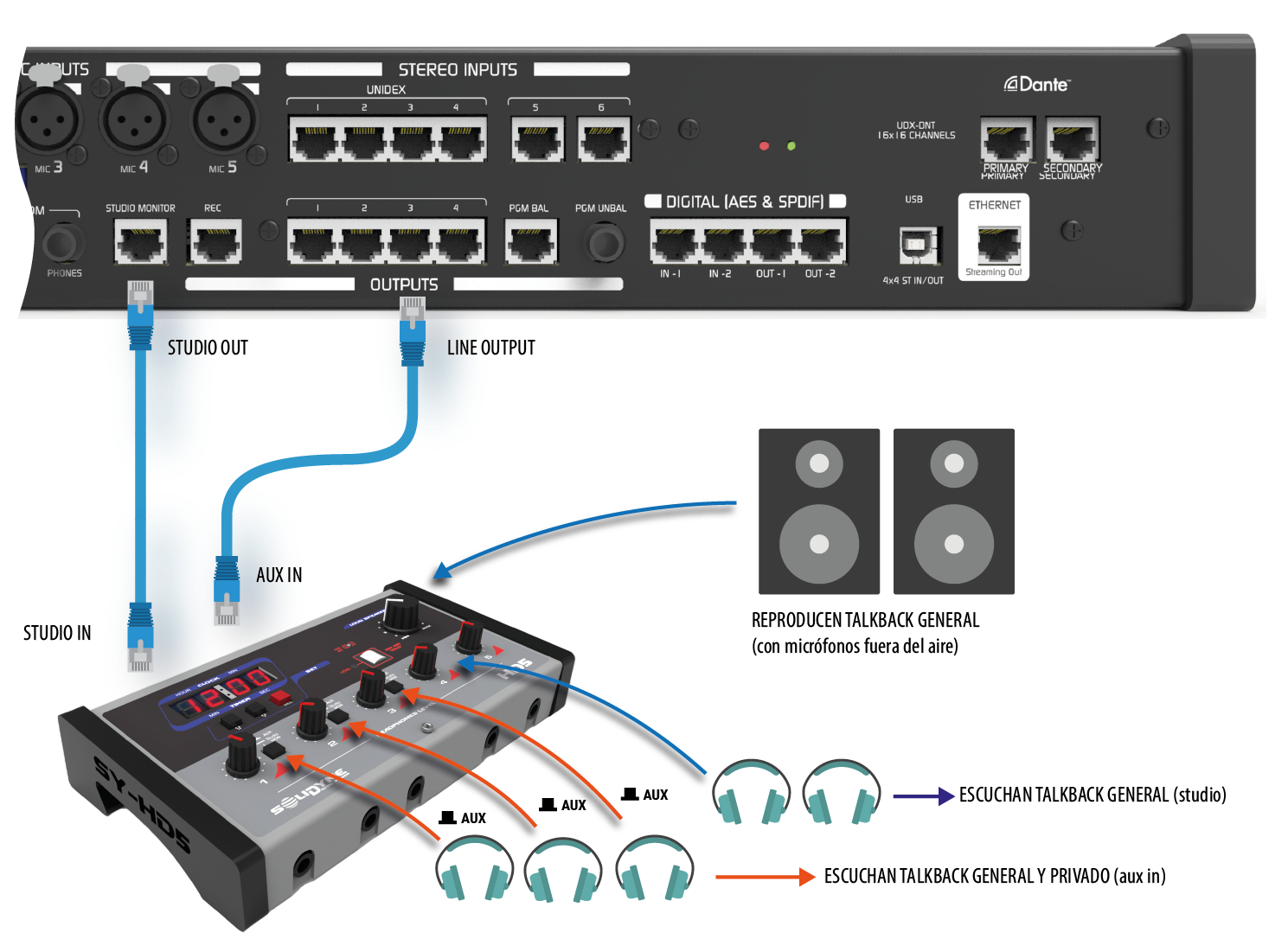
For StudioBox HD3, the connection is the same.
Connection
- The STUDIO MONITOR input of the StudioBox connects to the STUDIO MONITOR output on the console, using a pin-to-pin STP RJ45 to RJ45 cable (SOL P25 or P50 cables).
- The AUX-IN input of StudioBox connects to an assignable output on the console (OUT1 to OUT4) using a pin-to-pin STP RJ45 to RJ45 cable (SOL P25 or P50 cables).
Configuration
- On StudioBox, assign one or more headphones to the AUX input.
- On UX18, the output connected to AUX IN is configured as follows (see SETTINGS → OUTPUTS):
- Source:
STUDIO. The output signal follows the assignment made in the MONITOR screen. - Talk-Back Ch: Select a channel (or group) to link it to the output.
When activating Talk-Back on that channel, the signal will be sent through this output to the headphones assigned to AUX IN.
For example: to talk privately to MIC-1 headphones, “Talk-Back Ch” will be assigned to the MIC-1 channel. - Studio Talk-Back link:
Enabled.
- Source:
Operation
- With the above configuration, all headphones hear the signal assigned on the console for Studio monitoring (MONITOR screen).
- The main Talk-Back button allows talking to all headphones through the talkback microphone.
- The CUE/SELECT button of the linked channel or group allows talking only to the headphones assigned to AUX.
To do this, press and hold CUE/SELECT on the channel.
The channel display will showTLBK.