

Input Channels
All input and output connectors are located on the rear panel of the console.The quality of connections between different sources and the console ensures reliable and fault-free operation. Take the necessary time to make connections carefully, always using high-quality materials.
Microphone Inputs
The microphone channels are electronically balanced and use standard XLR connectors.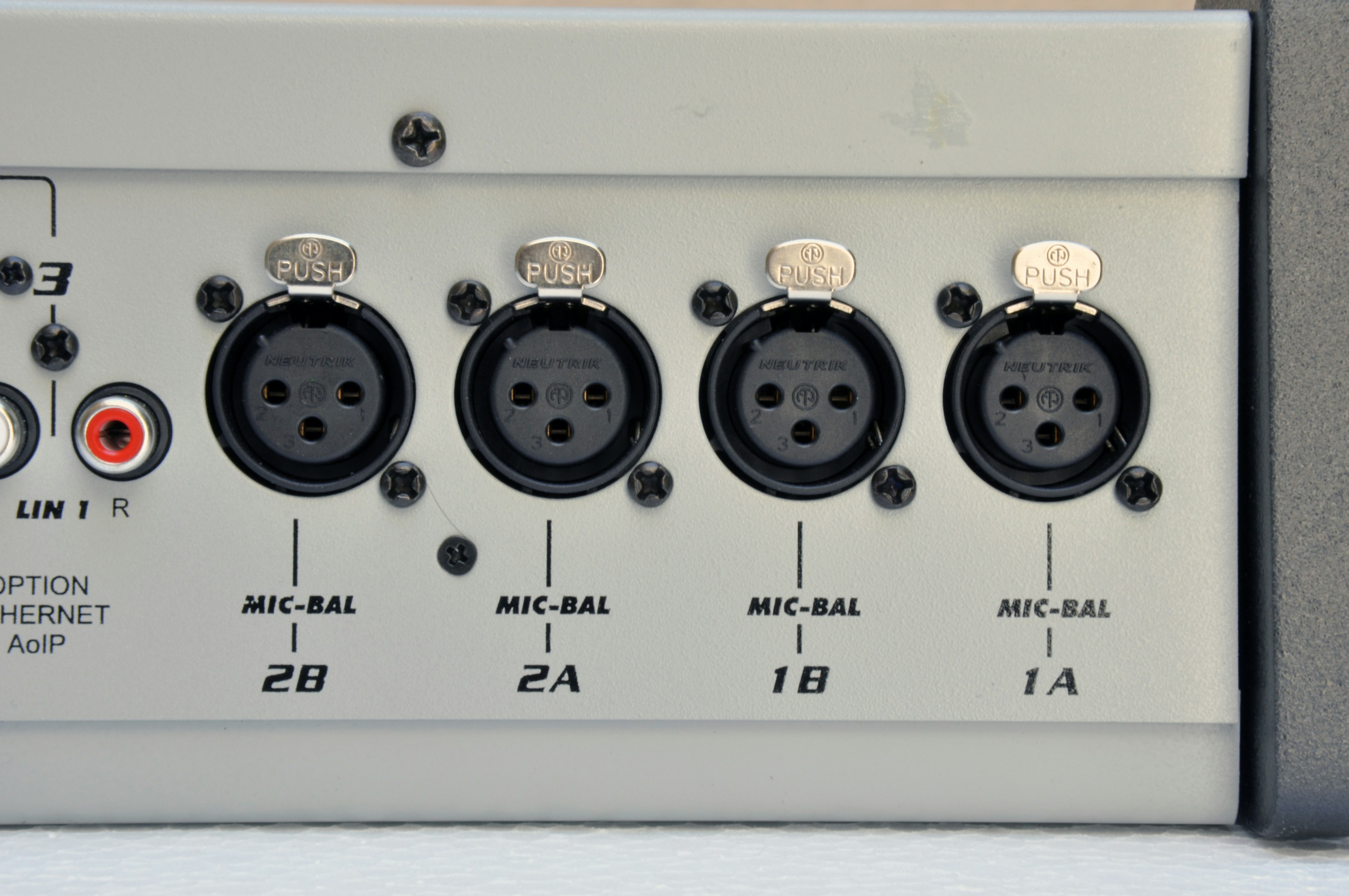
- Each channel features two XLR connectors, internally summed.
- When using two microphones on the same channel, they should be the same brand and model, preferably dynamic.
- Voice level differences are compensated by the console’s internal compressors.
Dynamic microphones can receive phantom power without risk of damage, as their moving coil has a floating connection that decouples the voltage.
Line Inputs
Each line channel has two stereo inputs, selectable from the console’s front panel: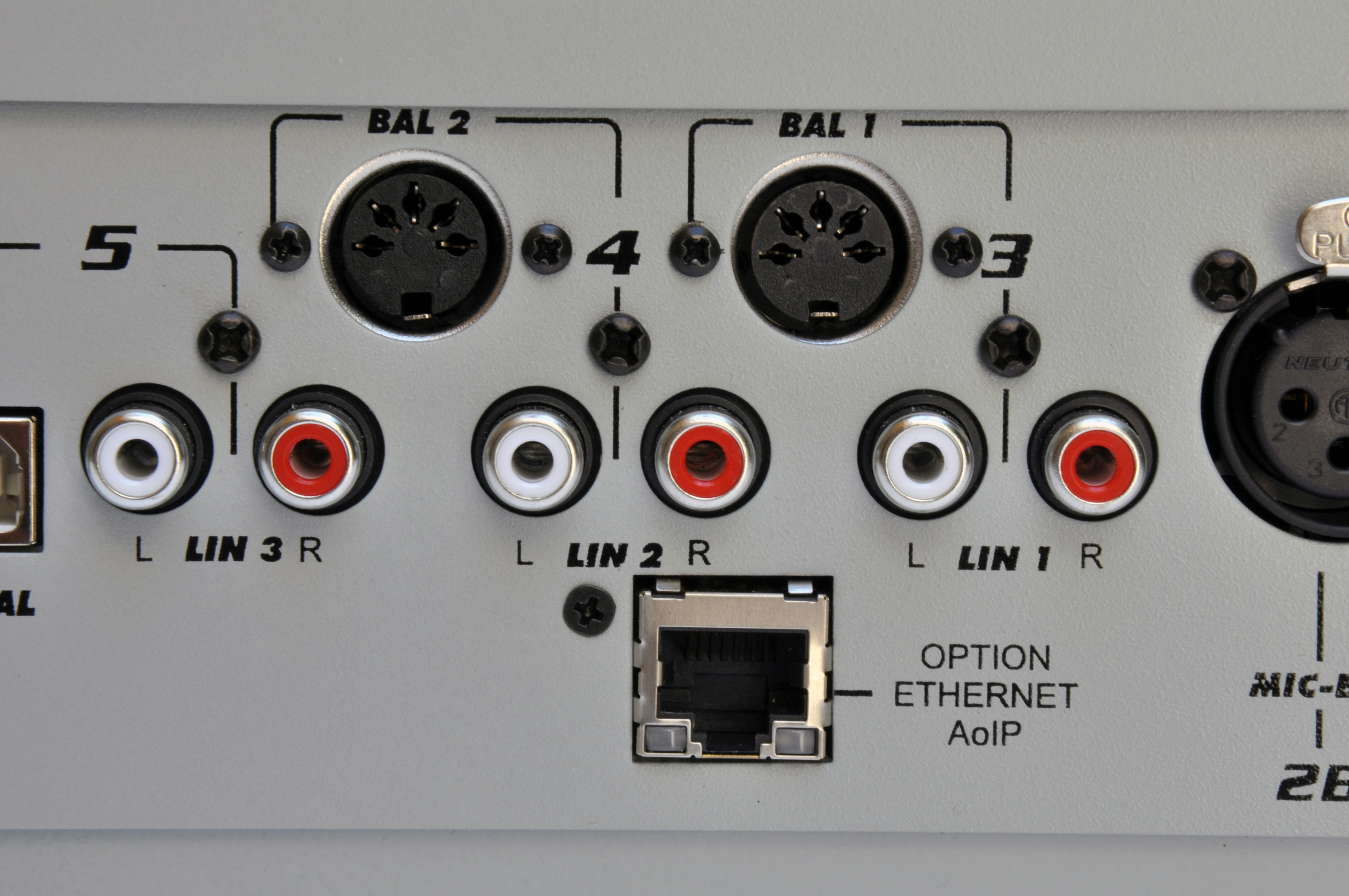
- Channels 3 and 4: unbalanced inputs on RCA connectors (LIN-1 and LIN-2) and balanced inputs on a DIN-5 connector (BAL-1 and BAL-2).
- Channel 5: digital. It’s a USB port for direct computer connection. Accepts an unbalanced auxiliary input (RCA).
In equipment with /AoIP option, the LIN-2 auxiliary input is internally assigned to the streaming module and cannot be used for other signals.
 DIN-5 (balanced stereo) |  XLR Female |
|---|---|
| Pin 1 → Audio (-) Right | Pin 1 → Ground (shield) |
| Pin 2 → Audio (+) Right | Pin 2 → Audio (+) |
| Pin 3 → Audio (-) Left | Pin 3 → Audio (-) |
| Pin 4 → Audio (+) Right | |
| Pin 5 → Audio (+) Left |
- The unbalanced RCA inputs accept equipment with -10 dBV output over 10 kΩ (consumer equipment).
- The gain control is common to both inputs and always acts on the selected input.
Digital USB Input
Channel 5 directly connects the console to a computer via USB port (standard USB A/B cable).- Compatible with 1.1, 2.0, and 3.0 ports.
- Recommended cable length 2-3 m; do not exceed 4 m even with extensions.
- Compatible with Windows® 7/10, Linux, and macOS.
- Drivers are installed automatically; no additional drivers required.
Channel 5 also features an auxiliary stereo unbalanced input with RCA connectors for conventional equipment.