

Pairing a Mobile Phone
Any mobile phone with Bluetooth can be paired to the DX816/822. The maximum range is 5 m, though keeping the device nearby (never on top of the console) is recommended. The phone registers the console’s unique ID code once. Subsequent connections are automatic when Bluetooth is enabled on both devices.Pairing Procedure:

- On the console: Verify that the LED on the CELL PHONE [3] button is off.
- If Bluetooth is on (LED flashing blue), turn it off by holding the Bluetooth [2] button until it stops flashing.
- On the console, activate “discovery mode” (this mode can only be accessed when Bluetooth is off). Press and hold the BLUETOOTH button for about 10 seconds. You’ll observe that after a few seconds, it flashes slowly in blue, and later the flash alternates rapidly between blue and red (see mode C in the table), indicating that the DX816/822 has entered “discovery mode” for recognition by the mobile device.
- On the mobile device: Activate Bluetooth and search for devices.
- When the mobile device detects the console’s Bluetooth, it appears on-screen as Solidyne BTM641.
- Connect the mobile device to Solidyne BTM641.
- The console’s Bluetooth device is now registered on the phone and does not require repeating the operation (unless the Solidyne BTM641 device is unpaired (removed) on the phone).
- On the console, the CELL PHONE button remains lit in blue with a slow blink (mode A), indicating it is connected to the mobile device.
Bluetooth Volume Adjustment
The adjustment must be made during an active Bluetooth call.
The phone volume is independent of the Bluetooth link volume.
If adjusted without an active call, only the phone’s internal speaker will be affected.
The phone volume is independent of the Bluetooth link volume.
If adjusted without an active call, only the phone’s internal speaker will be affected.
- The Bluetooth volume setting is stored in the phone.
- It’s recommended to set it to maximum for the best signal-to-noise ratio.
Turn Off Bluetooth
To turn off, hold down the BLUETOOTH button until the CELL PHONE LED stops blinking.Reconnect a Paired Device
- On the console: Activate Bluetooth by pressing the BLUETOOTH button until the CELL PHONE LED flashes blue (approx. 5 seconds).
- On the mobile phone: Activate Bluetooth. When the connection appears, the phone will be ready for operation. When making or receiving a call, the audio will be sent to the console.
On some mobile phones, reconnection is not automatic, and you must manually select the Solidyne BTM641 device from a list.
Telephone Line Connections
The hybrid channel handles two landline telephone connections and one mobile phone linked via Bluetooth. On the rear panel of the console, there are four RJ11 connectors: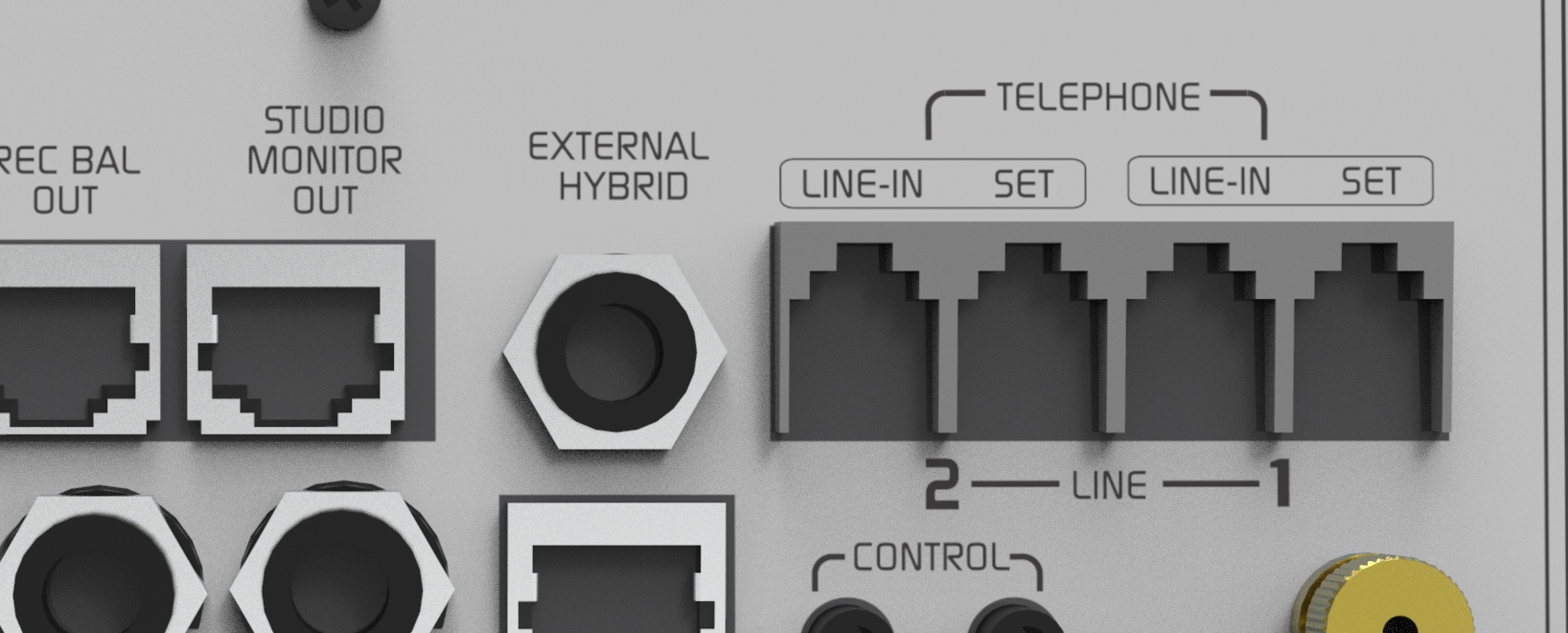
- Two telephone lines (to connect to the public network or a PBX system).
- Two associated telephones (labeled as “SET”), typically used by production staff to handle calls.
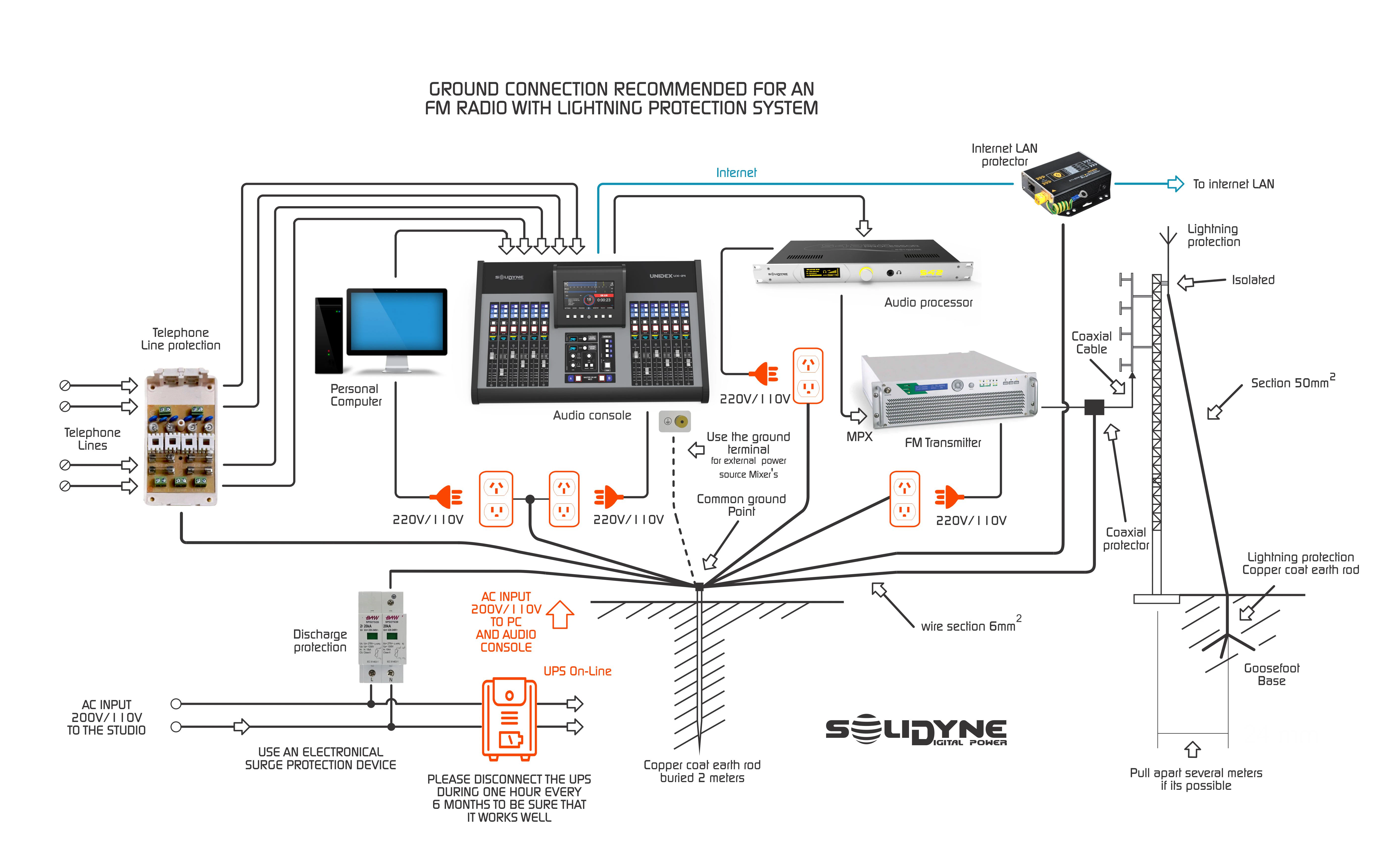
General recommendation for grounding and protection
Null Adjustment
This adjustment applies only to landlines. It is performed once during installation.The null setting prevents the transmitted signal from returning mixed with the interviewee’s voice, improving the local announcer’s audio quality. Procedure:
- Assign the Telecom Channel to the REC output (to avoid adjusting while on-air).
- Establish a call and ask the interviewee to speak.
- Adjust the call level with Channel 8’s fader until the REC VU meter reaches the white zone.
- Activate a microphone channel (over REC) and have someone speak from the Studio.
- While monitoring the local voice on REC, rotate the NULL control clockwise and counterclockwise to find the optimal point, achieved when the local signal added to the microphone via hybrid is minimized.
- This adjustment depends on the telephone line. If the telephone line changes, repeat the adjustment.
External Hybrid
The DX consoles include a connector for External Hybrid, which handles program and external hybrid return via a 6.35 mm (¼”) TRS jack.
- Output (Tip): Microphone and program return to the line. This signal is a copy of PGM minus the telephone line audio (MIX-MINUS). Connect to the **“return to lines” input** of the external hybrid.
- Input (Ring): Signal from the external hybrid to the console. It is added to the PGM bus but not to the MIX-MINUS. It should be connected to the output of the external telephone hybrid.