

Initial MONITORING screen
When accessing the processor via the network, the web control interface displays monitoring screens showing the action and current status of the various equipment stages.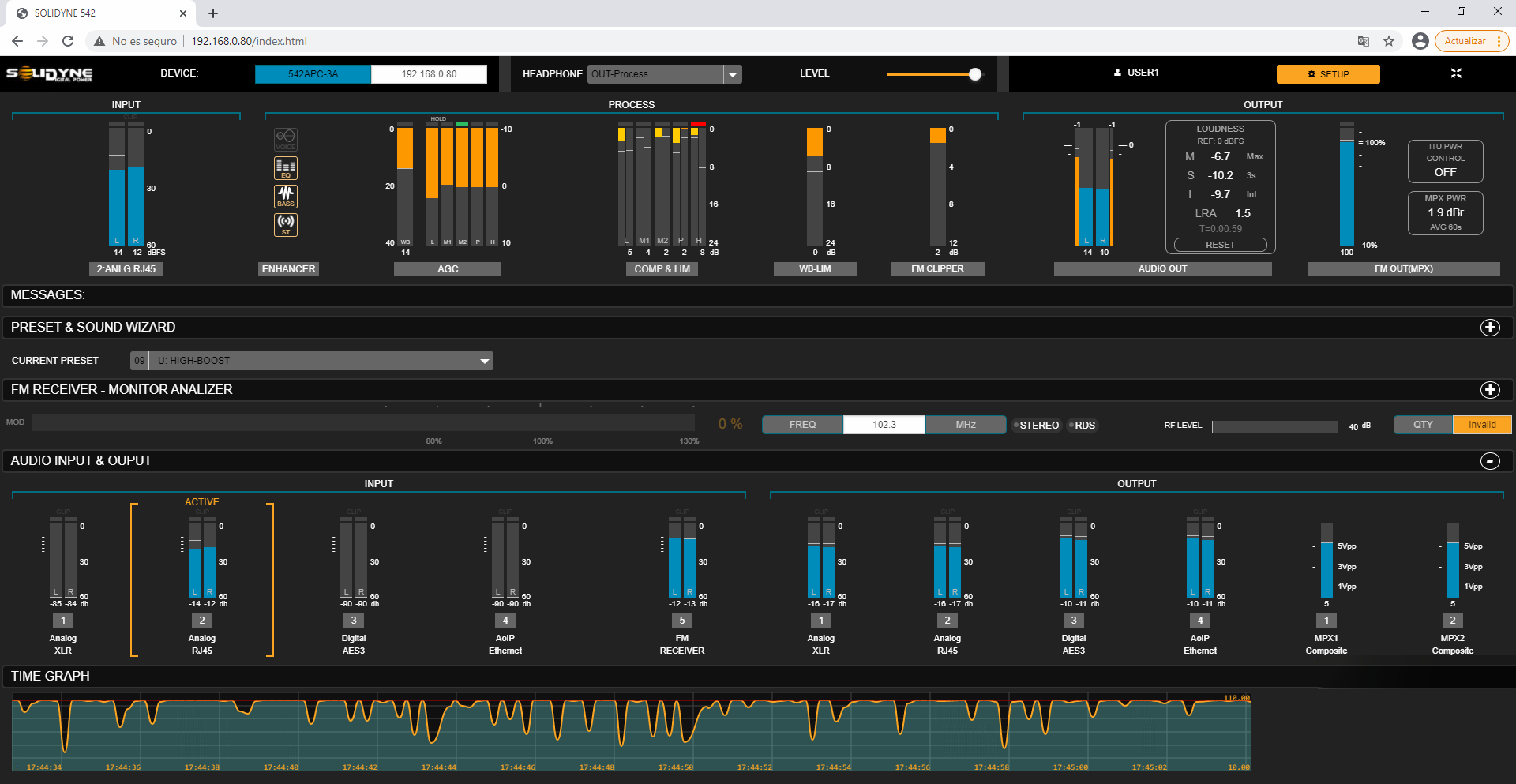
- These screens do not allow configuration edits.
- To modify parameters, you must activate SETUP mode by pressing the button located in the top-right corner of the window.
- General monitoring (fixed section)
- Presets and Sound Wizards
- FM Receiver – Monitor Analyzer
- Audio Inputs and Outputs
- Time Graph
General Monitoring Section
The top section is fixed and remains visible in all modes (MONITORING and SETUP). Includes:- Input level of the active signal (RMS and peaks in dBFS).
- Processing action indicators:
- Enhancer status (active/inactive).
- AGC action (dB).
- Compressor and limiter attenuation (dB).
- Clipper and broadband limiter status (dB).
- MPX clipper (dB).
- Audio output levels:
- Dual peak and RMS level indicator.
- Loudness levels per EBU-R128 standard.
- Equipment IP address.
- Signal source and headphone volume.
- Current user (for password access control).
- Button to switch to SETUP mode.
Preset and Sound Wizard Section
Displays the current processing preset and simplified Wizard controls that allow quick customization of the sound character.- Users can switch presets and adjust basic parameters (brightness, bass, compression, loudness).
- The CLICK HERE TO EDIT option opens SETUP mode to save changes or create new presets.
FM Receiver – Monitor Analyzer Section
Displays key parameters of FM transmission analysis. Advanced receiver configuration and detailed reports are available in SETUP mode under the FM Receiver menu option.Audio Inputs and Outputs Section
Displays level indicators for: enrolling- Audio inputs.
- Audio outputs.
- Composite MPX1 and MPX2 outputs.
Time Graph Section
Graph showing the evolution of modulation over time.\Allows switching between:
- MPX level.
- Modulation measured by the FM receiver.
- MPX power per ITU BS412.
Advanced access to configuration and adjustments
The SETUP button at the top of the screen allows editing the parameters and settings of the 542APC processor.- Access to this mode may be password-protected.
- Upon entering, a collapsible side menu appears on the left, providing access to all adjustment and configuration sections.
- Whenever modifying an audio processing value, press SAVE PRESET to retain changes. The SAVE option will blink while unsaved changes exist.
- System configuration changes are saved automatically.
- The active processing preset is a system value: each time it’s changed, the setting is saved automatically.