

Processing Presets
The unit includes 16 factory presets and 16 empty memory slots for users to store their own settings.- Factory presets are read-only: they cannot be deleted or modified.
- User presets come factory-configured with moderate processing settings.
Managing Presets
Processing presets can be accessed from the MONITORING section of the web control interface.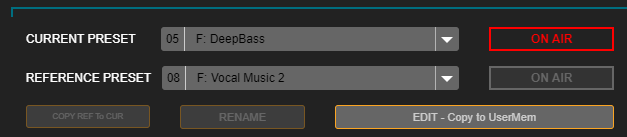
REFERENCE PRESET allows loading a second setting to compare with the current one by pressing ON AIR.
Creating Processing Presets
To copy and edit presets, you must access SETUP mode.Users can either edit a user preset directly or copy a factory preset and then modify it (recommended). The preset loaded as reference is used to compare settings, both audibly and by viewing process values. To copy a factory preset:
- Load the desired factory preset into the CURRENT PRESET field. When a read-only preset is loaded here, the SAVE button changes to EDIT – Copy to UserMem.
-
Press EDIT – Copy to UserMem. A screen will appear to choose the user position where the copy will be saved.
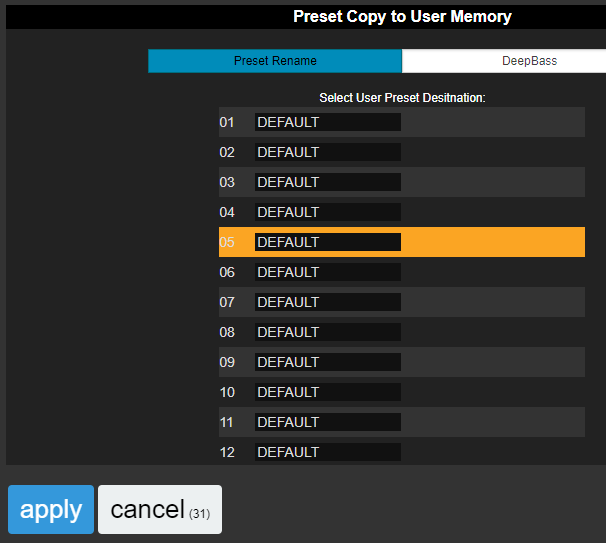
- The preset name can also be edited on this screen.
- Press APPLY. The factory preset will be copied to the chosen user memory, overwriting the existing one.
Preset Administration
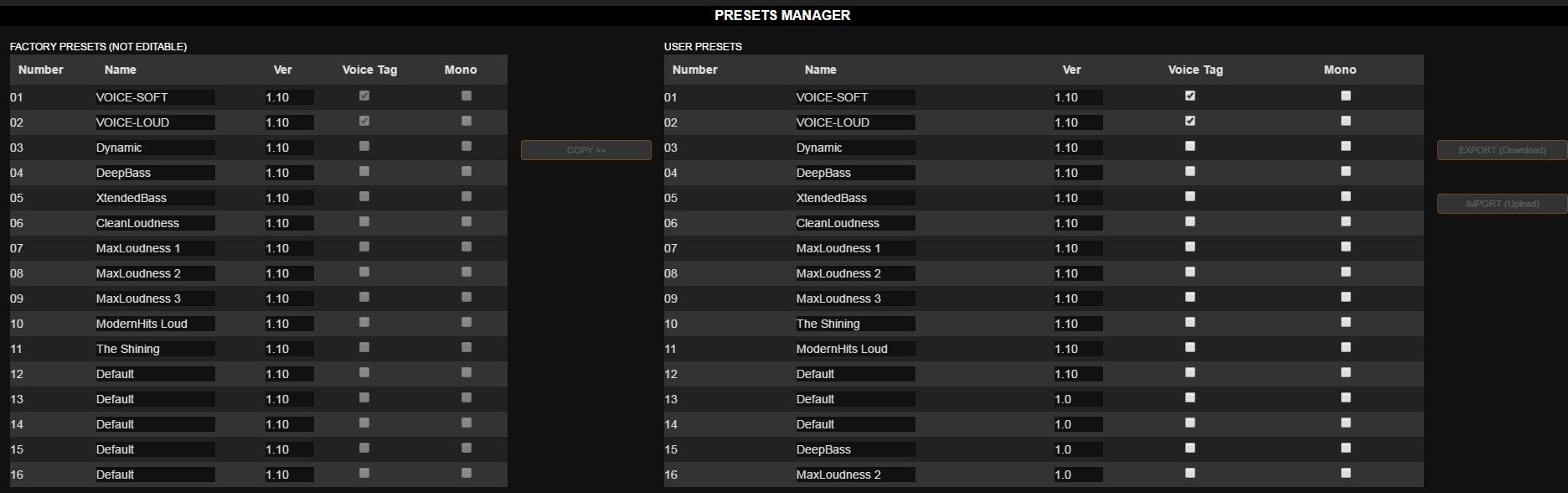
The Preset Manager is accessed from the Web Control screen’s side menu. It allows:- Exporting a preset to a disk file
- Importing a preset from file
- Copying factory presets to user memories
- Renaming a preset
- Assigning the MONO property, which forces mono transmission
- Assigning the VOICE property, optimized for voices
Exporting and Importing Presets
To export a preset:- Select the desired preset from the list
- Press the EXPORT (Download) button
- A file named
[preset_name].542is generated - The file is saved to the browser’s default downloads folder
Factory Presets
Presets store processing configurations that determine the on-air sound of the radio.Factory presets were created to cover different needs: maximum quality, maximum loudness, bass enhancement, treble enhancement, voice optimization, etc.
- Settings 01 to 03 are for voices
- Settings 04 to 16 are for general purpose, mainly organized by loudness
A single preset requires a compromise setting that works with all voices and music. Automatic switching eliminates compromises since each type of material is processed with its optimal setting, reducing the listening fatigue typical of rigid processors. [Content continues with technical specifications and settings for different preset types…]